 |
| BUSCAR USUARIO |
| INFORMACIÓN |
 Inicio Inicio |
| Últimas Novedades |
| Historial de Versiones |
| Descargar GRATIS |
| MOSTRAR |
| Comunidades |
| Usuarios en Línea |
| Usuarios con Vídeo |
| Últimos Usuarios |
| Últimos Perfiles |
| Nuevos Usuarios |
| Usuarios Activos |
| SERVICIOS USUARIOS |
| Leer Mensajes Offline |
| Enviar Mensaje Offline |
| Recuperar Contraseña |
| Eliminar Usuario |
| Códigos de Registro |
| Administración |
| Tablón de Anuncios |
| OTRO SOFTWARE |
 BDtoAVCHD BDtoAVCHD |
| AYUDA |
| Voz sobre IP - VoIP |
| Videoconferencia |
| Configuración en Red |
| Preguntas Frecuentes |
| Contactar |
| Privacidad |
|
16 visitantes online |


 English English |
 Español Español |
BDtoAVCHD - One Click Blu-Ray to BD5/BD9/BD25/MKV
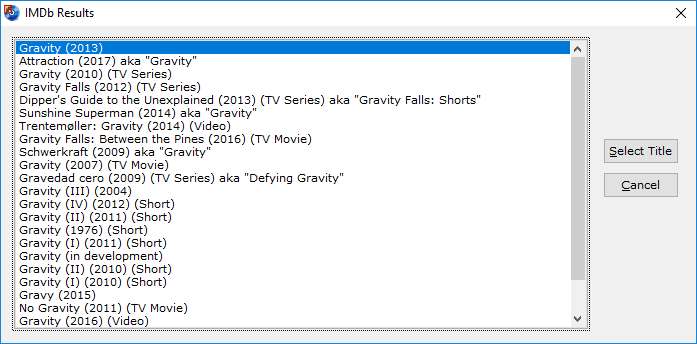
BDtoAVCHD is a tool to create AVCHD discs from Blu-Ray or MKV files. As output we get the folder structure ready to burn to a DVD5 or DVD9. The software compresses the video to achieve the desired overall size of 4.7 GB or 8.5 GB with the highest possible quality.
The AVCHD format allows playback the same type of content that a Blu-Ray and holding high definition (1080p) but on DVD5 or DVD9 media. It is ideal for backing up Blu-Ray's with much smaller size and maintaining high quality.
BDtoAVCHD is created with the idea that is very simple and quick to use and obtain the best possible quality in a DVD5 media. To achieve this avoids unnecessary conversions and do not need any codec installed as avisynth, ffdshow or Haali media splitter. The discs obtained are compatible with almost any Blu-Ray player or PS3.
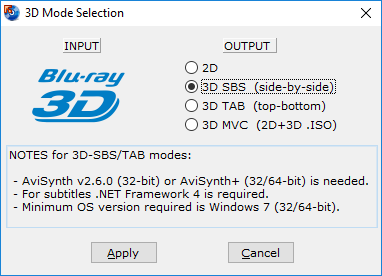
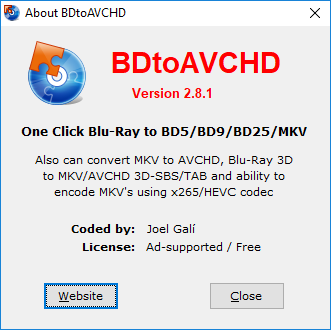
Also can convert Blu-Ray to MKV, MKV to AVCHD, Blu-Ray 3D to AVCHD/MKV 3D SBS/TAB and ability to encode MKV's using x265/HEVC codec.
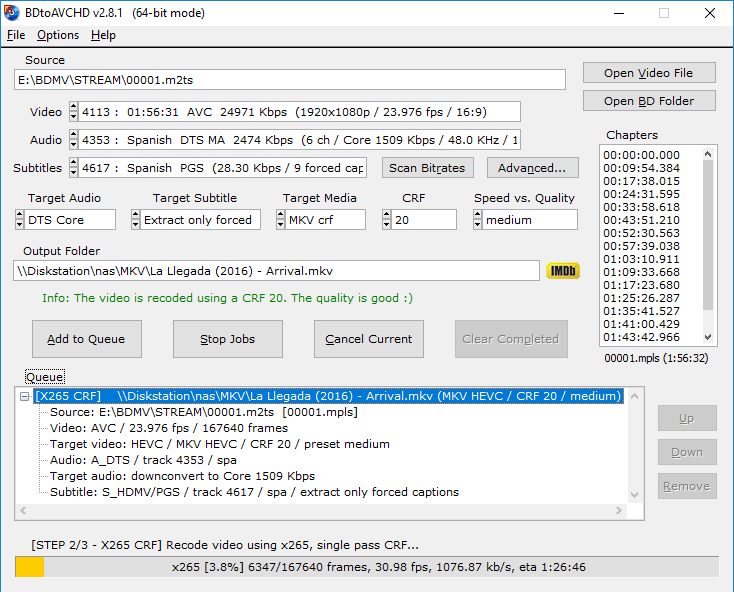
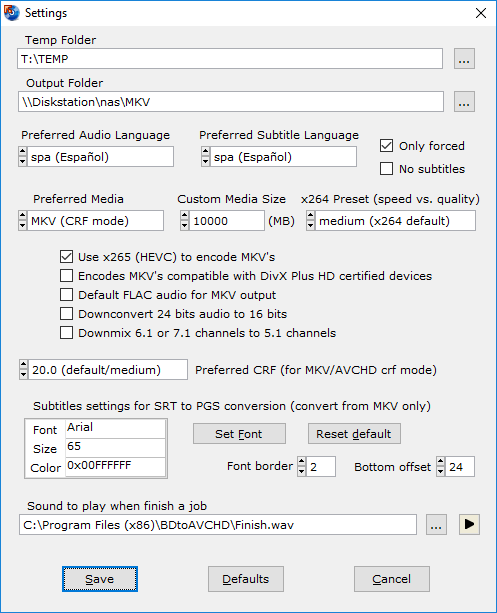
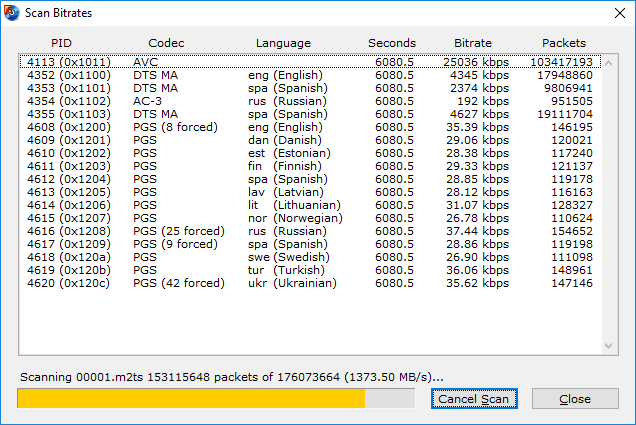
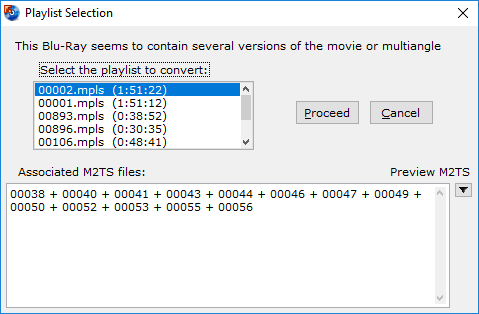
KEY FEATURES
- Finds the main .m2ts file for the movie by just selecting the BDMV folder or Blu-Ray root.
- Extract all information from the audio tracks, video and subtitles: length, language, format, etc.
- Extract chapter information or allows to add it.
- Select default audio track based on the language preferences and most appropriate criteria for the best quality but can also be set manually.
- Calculates the video bitrate to fill the DVD5 / DVD9 (most of the times gets filled between 99-100%).
- Converts audio (only if necessary): PCM to AC3, DTS-HD MA to DTS Core, DTS to AC3, etc.
- Detect delays in the original audio tracks and transfers them to the final job.
- Recompress the video using x264 64-bit if the computer supports it.
- Do not use external codecs like avisynth or ffdshow or Haali splitter in the process of video conversion.
- We can select a forced subtitle track is active by default when playing the disc.
- Allows to program multiple conversions in the queue and execute them one after another automatically.
- Multitasking: be can add new jobs in the queue while processing others.
- Various output sizes: DVD5 / DVD9 / USB 4GB / BD-25 and Custom.
- Ability to create a BD-25 without re-compressing video (BDRemux).
- MKV as alternate output: allows to convert Blu-Ray to MKV recoding the video or without recoding (BDremux).
- 3D ready: from Blu-Ray 3D we can get a AVCHD 3D or MKV 3D SBS/TAB.
- MVC encoding: ability to shrink 3D Blu-Ray to BD25/BD9 maintaining 3D MVC format (Intel Quick Sync encoder).
- Ability to encode MKV's using x265/HEVC codec.
DOWNLOAD BDtoAVCHD FREE
 |
BDtoAVCHD version 3.2.0 for Windows 11/10/8.1/8/7 (Ad-supported / Free) |
 BDtoAVCHD_v3.2.0.msi (44.65 MB)
Windows Installer package (VideoHelp mirror,
Free-Codecs mirror,
Softpedia mirror,
fileforum mirror) BDtoAVCHD_v3.2.0.msi (44.65 MB)
Windows Installer package (VideoHelp mirror,
Free-Codecs mirror,
Softpedia mirror,
fileforum mirror) |
| Awards: | ||||||
 |
 |
 |
 |
|||
QUICK OPERATION - HELP
The first step is to select the file to convert. There are two options: convert a Blu-Ray or MKV file (Matroska container). In the case of a Blu-Ray will use the Open BD Folder option and you can select either a folder that contains the structure of a Blu-Ray (one copy) or directly a Blu-Ray disc. In the case of an original disc will be necessary to install a ripper program such as AnyDVD HD to decrypt the disc. In the case of an MKV file will use the option Open Video File and it must contain a copy of the tracks on a Blu-ray preferably without re-compressing the video (a BDRemux).
If the source file is an ISO image will need to mount the image first using e.g. DVDFab Virtual Drive (freeware). Then open the appropriate drive letter with Open BD Folder option.
After opening the file shows all the information on this: format, audio tracks, languages, subtitles, chapters, etc. Now just have to select the audio track we want to convert, the format of this and so if we add a subtitle and the type of output media (DVD5 / DVD9 / USB 4GB / BD-25 / Custom). The program will automatically calculate the bitrate that should have the video for the selected capacity.
Finally once all the options selected by pressing the Add to Queue is added to the queue and work can start converting by clicking Start Jobs or schedule another work, repeating the process. At any time you can add new jobs in the queue whether a conversion is in progress or not.
That's it! Now we just need to wait several hours (depending on the power of the PC) until finish the conversion will go to the configured folder (default C:\AVCHD\...). In this folder you get the file structure of an AVCHD ready to burn with any burning software. Simply select the entire contents of the folder and burn the DVD with UDF 2.50 file format this is very important. We recommend using ImgBurn (freeware) because it automatically detects that are creating an AVCHD disc and set up properly recording options such as UDF 2.50.
The AVCHD disc obtained may reproduce virtually in any Blu-Ray player or PS3.
CHANGELOG
Version 3.2.0 (06/20/2026)
- Updated: x265 encoder to version 4.1+272.
Version 3.1.9 (12/23/2025)
- Updated: x264 encoder to version 165.3223 (r3223).
- Updated: x265 encoder to version 4.1+211.
- Updated: IMDb scraper.
Version 3.1.8 (08/04/2025)
- Fixed: Conversion fails when source is MKV with audio EAC3 and audio has delay.
- Updated: x264 encoder to version 165.3222 (r3222).
- Updated: x265 encoder to version 4.1+190.
Version 3.1.7 (05/28/2025)
- Updated: x264 encoder to version 165.3218 (r3218).
- Updated: x265 encoder to version 4.1+166.
- Changed: the x265 encodes are done with "open gop" (x265 default).
- Updated: IMDb scraper.
Version 3.1.6 (04/03/2025)
- Updated: x264 encoder to version 165.3214 (r3214).
- Updated: x265 encoder to version 4.1+126.
Version 3.1.5 (12/08/2024)
- Updated: x264 encoder to version 164.3198 (r3198).
- Updated: x265 encoder to version 4.1+1.
Version 3.1.4 (06/01/2024)
- Updated: x264 encoder to version 164.3191 (r3191).
- Updated: x265 encoder to version 3.6+1.
Version 3.1.3 (02/02/2024)
- Updated: x264 encoder to version 164.3173 (r3173).
- Updated: x265 encoder to version 3.5+114.
Version 3.1.2 (10/06/2023)
- Updated: x264 encoder to version 164.3144 (r3144).
- Updated: x265 encoder to version 3.5+110.
Version 3.1.1 (05/02/2023)
- Updated: x264 encoder to version 164.3107 (r3107).
- Updated: Mkvmerge to version 75.0.
- Updated: IMDb scraper.
Version 3.1.0 (01/09/2023)
- New: On systems with hybrid processors (P-cores + E-cores) running on Windows 11 22H2, the video encoding process is now configured correctly to avoid using only E-cores when the app is minimized.
- Updated: x264 encoder to version 164.3103 (r3103).
- Updated: Mkvmerge to version 72.0.
- Updated: IMDb scraper (again).
Version 3.0.4 (10/31/2022)
- Improved: compatibility with MKV's containing AAC audio.
- Updated: x264 encoder to version 164.3101 (r3101).
- Updated: IMDb scraper to adapt to changes on the web.
View previous versions
Página generada en 19 ms.
©2000-2026 Joel Galí